How to prevent overcharging with PD chargers begins with a simple distinction: a charger offers power, while the device manages how much it accepts. USB Power Delivery can support up to 240 watts under the USB-IF’s PD 3.1 specification, but that is a maximum capability—not a constant output forced into every phone or laptop. The device and charger negotiate a suitable charging level. Still, damaged cables, poor-quality accessories, heat, and outdated firmware can undermine safe, reliable charging.
Battery expert Isidor Buchmann, founder of Cadex Electronics and Battery University, writes: “A partial charge causes no harm. Rather, a full charge stresses the battery.” That guidance helps explain why keeping a device plugged in at high temperatures may matter more than the charger’s advertised wattage. Use reputable, compatible equipment. Check the cable and connector for fraying, looseness, or unusual heat. Simple checks help.
The scale of electronic waste makes careful charging worth attention, though it does not prove that overcharging causes discarded devices. The UN’s Global E-waste Monitor 2024 reports that the world generated 62 million tonnes of e-waste in 2022; only 22.3% was documented as formally collected and recycled. This guide explains practical safeguards, including charging limits, temperature awareness, and signs of faulty equipment. It also clarifies what PD protection can—and cannot—do. No charger can replace sensible use or a device’s built-in battery-management system.
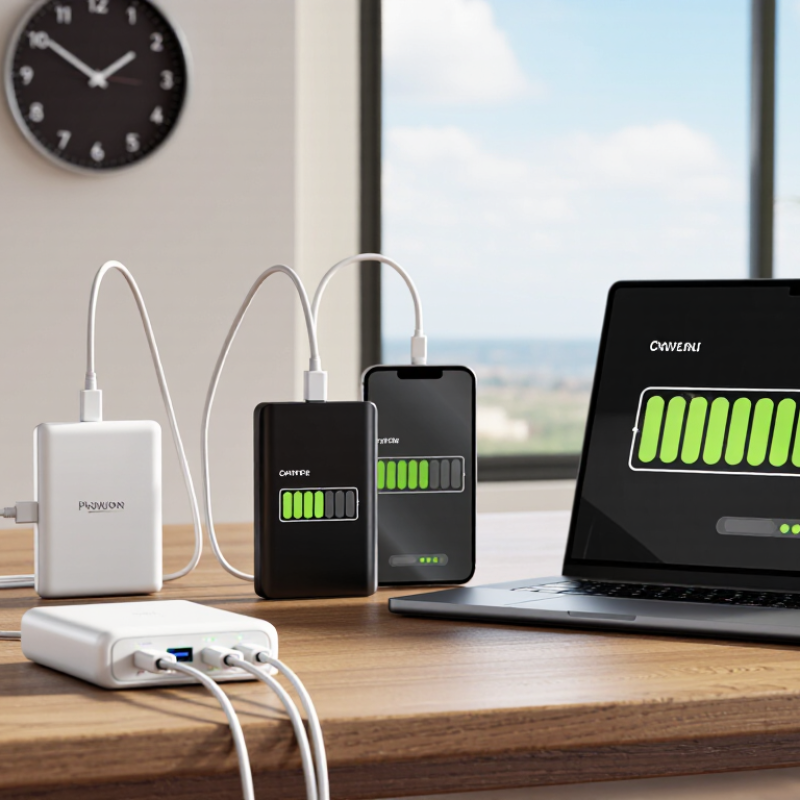
USB Power Delivery does not simply send a charger’s maximum power into a phone. The charger first advertises supported voltage and current options. The device then requests a suitable option, and the charger confirms the contract before changing its output. Until that exchange succeeds, USB PD uses the default 5-volt level. This negotiation helps prevent mismatched power delivery, but it does not replace the device’s battery-management system. That system monitors battery temperature, voltage, and charge state, then limits or stops charging as needed.
The USB Implementers Forum’s USB PD 3.1 specification supports up to 240 watts in Extended Power Range, a limit intended for compatible equipment—not a target every device receives. A phone requesting less power will not normally draw the charger’s full capacity. Still, protocol limits are not a guarantee against every fault: damaged cables, poor connectors, or faulty electronics can cause problems. A warm charging brick is common; a phone that becomes unusually hot deserves attention.
Tips: Check the charger’s output labels and use a cable rated for the negotiated power. Keep ports clear of lint, and stop using frayed or loose cables. If charging repeatedly disconnects, try another suitable cable and inspect the port. USB-IF’s USB Power Delivery Specification Revision 3.1 (2021) documents the negotiation and power ranges. One practical caveat: labels can be confusing, so matching the device’s supported profiles matters more than choosing the highest wattage.
A PD charger does not decide how full your device’s battery should become. It offers supported voltage and current levels, and the device negotiates what it can accept. Inside the device, a charging controller regulates the flow of power. The charger supplies energy; the device manages the battery. That distinction matters.
For a lithium-ion battery, the controller typically reduces charging current as the battery approaches its target voltage, then stops or limits charging. Sensors can also respond to temperature, while protective circuits help guard against abnormal voltage or current. Battery percentage is an estimate, not a direct measurement of stored energy. Still, this is not magic: protection systems can’t correct every fault or poor-quality cable.
Use a compatible charger and an undamaged cable, and keep the device uncovered on a firm surface while charging. If it becomes unusually hot, disconnect it and check the device maker’s guidance. Avoid charging near heaters or in a sunlit car. Many devices are designed to manage charging overnight, but heat and battery age still matter. I sometimes focus too much on the charger’s wattage; the device’s own charging controls are just as important.
How devices manage battery charging and overcharge protection
Illustrative charging profile: Lithium-ion devices commonly use constant-current charging followed by constant-voltage charging, during which current tapers as the battery approaches full. USB Power Delivery negotiates power between the charger and device; the device’s charging circuitry manages the battery. Charge limits and protection behavior vary by device, so use compatible equipment and the device maker’s guidance.
Check the charger’s output label and the device’s input rating before plugging them together. Look for USB-C Power Delivery support on both sides. Read both labels. A charger may list several voltage and current profiles, while a phone or laptop accepts only certain ones. The device’s manual or manufacturer support page can clarify its maximum input. Small detail, big difference.
Compare the charger’s supported profiles with the device’s requirements, not just the largest wattage number. A higher-rated PD charger generally supplies only the power the connected device requests, through communication between the two. It does not simply push its full output into the battery. Still, compatibility depends on supported voltage profiles. If the device requires PPS for its preferred charging mode, confirm the charger supports PPS too. Do not guess.
Check the USB-C cable as well. Some cables have lower power limits, and higher-power charging may require a suitably rated cable. A mismatch can mean slower charging, not necessarily danger, but damaged or unusually warm equipment deserves attention. The small print is easy to miss; checking it twice is sensible. If charging repeatedly stops, gets unusually hot, or behaves inconsistently, try a known-compatible cable and consult the device’s guidance rather than assuming the charger is at fault.
A USB-C PD charger does not simply push its maximum power into a phone. The device and charger negotiate a supported level, while the phone controls the battery’s charging process. Still, charging settings matter. Open your device’s battery menu and look for a charge limit, often set near 80% or 85%. This can reduce time spent at a high state of charge, especially if the phone stays plugged in overnight or on a desk.
Choose a limit that fits your routine, not a number you follow blindly. If you need a full day away from an outlet, charging to 100% may be useful. For a typical workday, a lower cap may be enough. Some devices also offer optimized charging, which pauses near the limit and finishes shortly before your usual wake-up time. Keep the charging area ventilated; a phone warming under a pillow is a poor setup. Heat matters.
Check the phone’s temperature and battery settings occasionally, since features differ by model and software version. A charge limit can help reduce battery stress, but it cannot prevent all battery aging. I would not treat 80% as a magic rule; real routines are messy, and convenience counts too. If the phone gets unusually hot, remove it from enclosed spaces and check the charger and cable for damage. Avoid changing advanced power settings unless the device maker explains them clearly.
Keep a simple log of charging temperature, cable condition, and charging speed. After 20 minutes, feel the charger and the plug ends. Warm is common; painful heat, a hot-plastic smell, or repeated charging pauses are warning signs. Unplug it and inspect the setup. A 2023 report from the U.S. Consumer Product Safety Commission describes overheating and fire risks linked to damaged lithium-ion batteries and charging equipment. It does not mean every warm charger is unsafe. Context matters.
Check cables near both connectors, where small cracks and fraying often start. Replace a cable with exposed wire, a loose plug, or a bent connector. The USB Implementers Forum’s USB Type-C Cable and Connector Specification distinguishes ordinary 3-amp cables from electronically marked cables rated for up to 5 amps. A cable’s appearance alone cannot confirm its rating. Match its rating to the charger and device requirements, and avoid tight coils that trap heat.
Watch how charging behaves, too. Note the time, battery percentage, and whether the device repeatedly connects and disconnects. If charging slows sharply or the charger becomes unusually hot, test a known-good, correctly rated cable in a cooler, ventilated place. Don’t cover the charger with bedding or leave it pressed against a wall. These checks are useful, but they are not laboratory measurements; a handheld temperature reading can miss a hot connector. If the problem returns, stop using that charger.
The charger advertises supported power options. The device requests a suitable option, and the charger confirms before changing output. Until then, power stays at the default 5 volts.
Usually, no. The phone requests a supported level rather than automatically taking the charger’s full capacity.
No. That is the upper limit for compatible equipment using Extended Power Range. Most devices request much less.
It can reduce time spent near a high charge level, especially when a phone stays plugged in overnight. It cannot prevent all battery aging.
Not necessarily. A lower limit may suit a workday, while a full charge can help before a long day away from an outlet. It is not a magic number.
Some phones pause near a chosen limit, then finish charging before your usual wake-up time. Features vary by device and software.
Move it out of enclosed spaces, such as under a pillow. Check the charger, cable, and charging area. Heat matters.
Inspect the port for lint and check for a loose or frayed cable. Try another suitable cable. I still find charger labels easy to misread.
How to prevent overcharging with PD chargers starts with understanding how USB Power Delivery works: the charger and device negotiate a suitable power level, while the device controls how much energy its battery accepts. A compatible charger does not force its maximum output into every device. Built-in battery management systems typically reduce or stop charging when the battery reaches its intended limit, but checking that the charger, cable, and device support compatible charging standards helps ensure reliable operation.
To further protect battery health, use available charge-limit or optimized-charging settings, and avoid leaving a device in hot conditions while it charges. Check cables and connectors for damage, and monitor unusual heat, slow charging, or repeated interruptions. If the charger or device becomes excessively hot, disconnect it and inspect the setup. These simple checks can help keep charging efficient, reduce unnecessary battery stress, and maintain dependable performance over time.

Laisen Electronic