Power adapters and chargers are essential gadgets in our daily lives. However, they often accumulate dirt, dust, and grime, posing risks not only to their functionality but also to our health. Studies show that 71% of electronics contain harmful bacteria, which can thrive in neglected devices. So, how to clean power adapters and chargers safely is crucial for maintaining device performance and user safety.
Cleaning these gadgets requires a careful approach. A recent report emphasized that improper cleaning methods can cause damage or safety hazards. In fact, 35% of users have reported issues stemming from inadequate maintenance. Using appropriate materials, such as lint-free cloths and gentle cleaners, ensures the longevity of chargers.
Many users overlook this maintenance step. Cleaner devices enhance user experience and reduce risks. Knowledge on the right cleaning techniques can empower users and improve overall safety. It’s worth considering how often we invest in cleaning solutions for our personal devices.
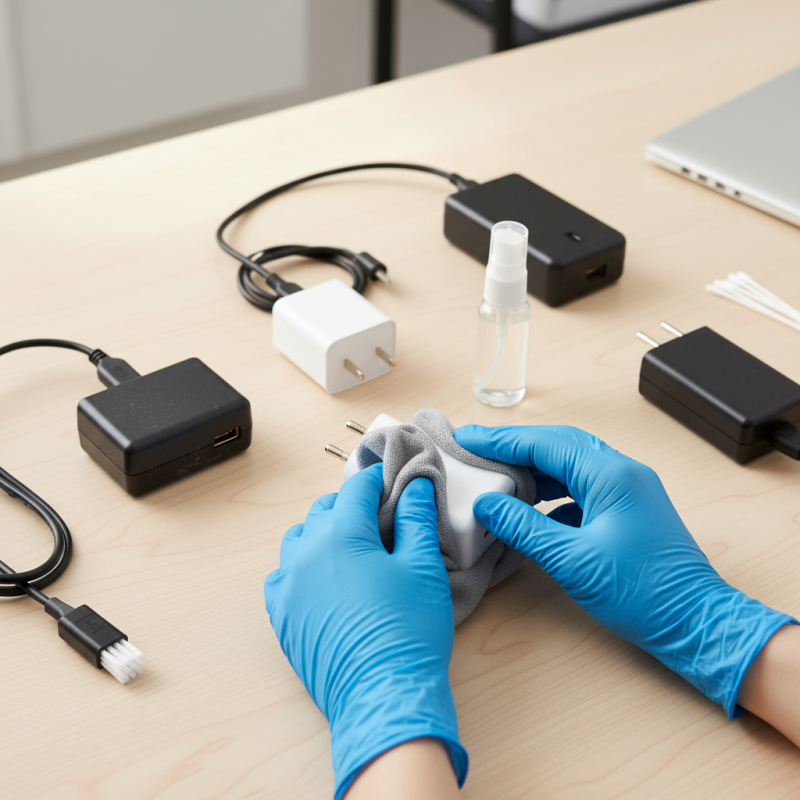
Cleaning power adapters and chargers is often overlooked but essential for maintaining their performance and longevity. Dust and grime can accumulate over time, leading to overheating or malfunction. A clean charger not only works better but also reduces safety risks. Regular cleaning ensures that you’re not just prolonging the life of your devices, but also minimizing the risk of electrical issues.
Here are a few tips: First, always unplug your charger before starting to clean it. Use a soft, dry cloth to wipe down the surface. Avoid using water or any liquid cleaners as they can damage the internal components. For stubborn dirt, a mixture of vinegar and water can be applied to the cloth lightly.
Another important point is to check the charging ports. Dust and debris can accumulate in these areas, affecting connectivity. A small brush or a toothpick can gently remove debris without causing damage. Make sure to do this carefully to avoid any internal scratches. Keeping your power adapters clean is a simple, yet effective way to ensure their reliability.
Power adapters and chargers often collect dust, grime, and even food particles. Identifying these common contaminants is the first step to effective cleaning. Dust might seem trivial, but over time, it can interfere with your device's performance. Food particles can attract pests, creating a larger mess. Additionally, grease from handling can leave residues that make devices slippery.
When cleaning, always use a microfiber cloth. Dampen it slightly, avoiding excess moisture. Be cautious around the charging ports. Too much liquid can damage internal components. For stubborn stains, rubbing alcohol is effective. Just a small amount on the cloth can help lift grime without harsh chemicals.
Regular maintenance is necessary. Check your chargers weekly for accumulated dirt. This will prevent buildup and prolong the lifespan of your devices. Avoid using spray cleaners directly on the charger. It’s easy to overlook these small habits, but they significantly impact your technology's durability. Don’t ignore the importance of maintaining cleanliness in these areas.
Cleaning power adapters and chargers and cleaning materials is essential for optimum performance. Dust and dirt can affect their efficiency. For effective maintenance, it is vital to use safe cleaning materials.
Using a microfiber cloth is a great choice. Microfiber can trap particles without scratching surfaces. Dampen the cloth with a mixture of water and isopropyl alcohol. Ensure it is only slightly moist to avoid moisture getting into the device. Avoid using harsh chemicals, which can cause damage. According to the Consumer Electronics Association, improper cleaning can lead to a reduction in device lifespan by up to 30%.
Remember to unplug the charger before cleaning. This helps prevent any electrical hazards. It’s also wise to let the charger cool down if it has been in use. Dust can accumulate around the prongs; a soft brush can help clean these hard-to-reach areas.
Tip: Regularly clean your chargers every few months to maintain their efficiency. This small effort can make a significant difference in prolonging their lifespan. If you notice any discoloration or corrosion, it may indicate the need for replacement, as these issues can impact the functionality of your devices. Stay vigilant about these signs.
Cleaning power adapters and chargers is essential for maintaining safe electrical equipment cleanliness. According to the Electrical Safety Foundation International (ESFI), dust and grime can lead to overheating and malfunction. Data shows that improper handling and neglect can increase the risk of electrical fires by up to 30%. Keeping these devices clean ensures their longevity and safety.
When cleaning your charger, remember these tips: Unplug the device first. Use a dry cloth or soft brush to remove dirt. Avoid using liquids, as they may seep into components. Inspect the power adapter for damage. If you find cracking or fraying, it may be time for replacement. A study by the National Fire Protection Association (NFPA) revealed that damaged cords cause significant hazards, leading to one out of every five electrical fires.
Regular maintenance is crucial. A survey indicated that over 40% of consumers neglect the cleanliness of their electrical devices. This oversight can lower efficiency and increase heating issues. Make a habit of cleaning your chargers every month. It’s a small effort that can prevent larger problems down the line. Keep in mind, maintaining a clean environment enhances safety and performance.
Power adapters and chargers are integral to our daily lives. Proper care can extend their lifespan significantly. Research indicates that many chargers fail due to dirt and dust accumulation. According to studies, over 40% of charger defects can be linked to improper maintenance.
Regular cleaning of connectors is essential. Use a dry, soft brush to remove debris. Avoid any moisture, as it can cause short circuits. Be mindful of the charging port; a blocked port can lead to overheating and damage. In this context, cleaning should occur every few weeks, especially in dusty environments.
Invest time in using chargers correctly. Never yank the cord when unplugging; this can weaken the connection over time. Research shows that gentle handling reduces wear by nearly 30%. Moreover, keeping chargers away from extreme temperatures can further enhance durability. Small changes in daily use can yield significant results. Reflect on your habits with chargers; are they as careful as they should be?
: Cleaning is essential to maintain performance and longevity. Dust can cause overheating or malfunction.
Regular cleaning is crucial. Aim for once a month to prevent dirt buildup and improve efficiency.
Use a soft, dry cloth. For stubborn dirt, a damp cloth with a vinegar-water mix can be helpful.
No, avoid liquids. They can damage internal components and lead to malfunction.
Use a small brush or toothpick to gently remove debris. Be cautious to avoid internal scratches.
Inspect the adapter for any visible damage, such as cracks or fraying. Damaged cords are hazardous.
Neglect can increase fire risks by up to 30%. Dirty chargers lower efficiency and may lead to overheating.
Yes, surveys show over 40% of people overlook device cleanliness, which can cause larger issues later.
Dirty chargers can malfunction and may lead to electrical fires. Cleanliness enhances safety and performance.
Cleaning power adapters and chargers is essential for maintaining their functionality and safety. Understanding the importance of keeping these devices free from contaminants can help ensure optimal performance and longevity. Common contaminants include dust, grime, and moisture, which can lead to electrical issues over time. Therefore, knowing how to clean power adapters and chargers safely is crucial for preventing damage.
To clean these devices effectively, it’s recommended to use appropriate cleaning materials and methods, such as soft cloths and isopropyl alcohol, while avoiding harsh chemicals. Following industry guidelines for electrical equipment cleanliness is also important to ensure safety. By adopting best practices for maintenance, users can significantly extend the life of their power adapters and chargers, ensuring they remain reliable and efficient for an extended period.

Laisen Electronic